
Home · Learn · Comment créer un code-barres : guide pratique en 4 étapes
Comment créer un code-barres : guide pratique en 4 étapes
Choisissez le bon format, encodez vos données, générez, imprimez. Tout le flux prend moins d'une minute avec le bon outil. Voici comment, avec notre générateur intégré ci-dessous.
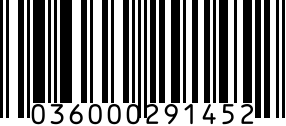
Créer un code-barres est vraiment simple — choisissez un format, saisissez vos données, téléchargez. Le plus dur est de choisir le bon format selon votre usage, car le détail (UPC, EAN), le stock (Code 128, Code 39), l'expédition (GS1-128, ITF-14) et le numérique (QR Code, Data Matrix) nécessitent des encodages différents. Ce guide parcourt le flux en quatre étapes avec des recommandations de format pour chaque cas.
Une décision importante en amont : si votre code-barres va sur un produit vendu au détail, il vous faut un numéro sous licence GS1 (UPC, EAN, ISBN) — vous ne pouvez pas légalement en inventer un. Les codes-barres à usage interne (étiquettes d'entrepôt, billets, stock) n'ont pas cette restriction ; vous pouvez créer n'importe quel Code 128 ou QR Code, avec les données que vous voulez.
Étape 1 : choisir le bon format
Cinq cas courants. (1) Produit de détail destiné à un magasin ou une place de marché → UPC-A (États-Unis/Canada) ou EAN-13 (partout ailleurs). Les deux exigent un numéro sous licence GS1. (2) Stock interne ou actif d'entrepôt → Code 128 (alphanumérique, haute densité) ou Code 39 (anciens systèmes). Données libres. (3) Carton ou palette d'expédition → ITF-14 (codes caisse) ou GS1-128 (avec identifiants d'application comme (00) SSCC, (01) GTIN, (10) lot, (17) péremption). (4) Pharmaceutique → GS1 DataMatrix pour la conformité DSCSA, encodant (01) GTIN + (17) péremption + (10) lot + (21) série. (5) Lien numérique ou URL → QR Code (grand public) ou Data Matrix (petites surfaces, industriel).
Étape 2 : saisir vos données
Le contenu dépend du format. UPC-A prend un nombre à 12 chiffres (11 chiffres de données + 1 clé de contrôle, calculée par le générateur). EAN-13 prend 13 chiffres (préfixe pays + préfixe entreprise + produit + clé). Code 128 et Code 39 prennent n'importe quelle chaîne — typiquement un SKU comme « ACME-SHIRT-RED-XL » ou un numéro de série. QR Code prend une URL, une vCard, du texte ou une chaîne de connexion Wi-Fi. Le générateur vous avertit si votre saisie est invalide pour le format choisi (trop peu de chiffres, caractères interdits).
Étape 3 : générer et télécharger
Rendez le code-barres en PNG (idéal écran et la plupart des imprimantes), SVG (idéal pour le redimensionnement sans perte — recommandé pour le packaging), ou PDF (idéal pour les étiquettes et planches Avery). Notre générateur produit les trois. Pour le traitement par lot, importez un CSV de valeurs et téléchargez un ZIP de codes-barres — utile pour générer des centaines de codes de stock en une fois.
Étape 4 : imprimer à la bonne taille et au bon contraste
Taille : UPC-A nominal fait 37,29 mm de large × 25,9 mm de haut, mais la spec GS1 autorise une mise à l'échelle de 80 % à 200 %. Sous 80 %, risque d'échec de lecture. Code 128 nécessite une largeur de barre minimale (dimension X) de 0,19 mm pour les scanners de détail ; les codes-barres d'imprimante thermique sur étiquettes Zebra/Dymo utilisent typiquement 0,33 mm ou plus. QR Code minimum lisible ~10 mm × 10 mm. Contraste : barres noires sur fond blanc est la référence. Évitez les fonds colorés, le laminage brillant sur le code-barres ou les combinaisons de couleurs à faible contraste — ils dégradent fortement la fiabilité. Incluez toujours une zone de silence (marge blanche) d'au moins 10x la dimension X de chaque côté.
Faut-il d'abord s'enregistrer chez GS1 ?
Uniquement si le code-barres va sur un produit vendu au détail ou à des partenaires de gros qui vérifient via GS1 GEPIR. Amazon, Walmart, Target, Costco, Kroger et la plupart des grands distributeurs vérifient chaque GTIN soumis dans le registre GS1 — les numéros non-GS1 sont rejetés comme « GTIN invalide ». Pour un usage interne uniquement (étiquettes d'actifs d'entrepôt, badges, billets, stock interne), GS1 n'est PAS requis. Vous pouvez utiliser n'importe quel Code 128, Code 39 ou QR Code avec les données voulues.
Créer des codes-barres dans Excel, Google Sheets ou Canva
Trois voies alternatives courantes. (1) Excel avec une police code-barres — installez une police Code 39 (gratuite), puis toute cellule contenant *VOSDONNEES* dans cette police s'affiche en code-barres. Économique mais limité au Code 39, sans calcul de clé de contrôle, sans UPC. (2) Google Sheets avec la formule IMAGE() pointant vers une API de code-barres — fonctionne, mais vous dépendez de la disponibilité de l'API et la plupart limitent l'usage gratuit. (3) L'app code-barres de Canva — glisser-déposer facile dans les fichiers de design. Bon pour les petites séries. Au-delà de quelques dizaines, un générateur dédié comme le nôtre (gratuit jusqu'à 30/jour) est plus rapide et gère plus de formats.
FAQ
Comment créer mon propre code-barres ?
Quatre étapes. (1) Choisir le format — UPC/EAN pour le détail, Code 128 pour le stock, QR pour le numérique. (2) Saisir vos données — pour UPC, un nombre à 12 chiffres sous licence GS1 ; pour Code 128/QR, n'importe quelle chaîne. (3) Générer en PNG, SVG ou PDF. (4) Imprimer à la taille recommandée avec un contraste noir sur blanc et une zone de silence propre. Tout le flux prend moins d'une minute avec un générateur en ligne.
Puis-je créer mon propre code-barres pour mon produit ?
Oui, mais le type de code-barres dépend du lieu de vente. Pour le stock interne ou l'entrepôt, vous pouvez créer librement des codes-barres Code 128 ou Code 39 avec les données voulues. Pour les produits de détail (Amazon, Walmart, épiceries), vous devez utiliser un UPC ou EAN sous licence GS1 — les numéros inventés sont rejetés par la vérification GTIN du distributeur.
Puis-je créer un code-barres UPC gratuitement ?
Vous pouvez générer l'IMAGE du code-barres gratuitement (tout générateur en ligne, dont le nôtre, rend une image UPC-A à partir d'un nombre à 12 chiffres). Mais le NUMÉRO lui-même doit provenir du système GS1 si vous comptez vendre le produit au détail — des codes vérifiés dérivés de GS1 sont disponibles dès 5 $ sur notre page Acheter des codes UPC. Méfiez-vous des générateurs gratuits prétendant émettre de vrais UPC : un numéro inventé sans origine GS1 ne passe pas la vérification des places de marché.
Quel est le meilleur générateur de codes-barres gratuit ?
Critères clés : couverture des formats (UPC, EAN, Code 128, QR, Data Matrix), formats de sortie (PNG, SVG, PDF), calcul de clé de contrôle, et import CSV en masse. Parmi les bonnes options gratuites : notre générateur (couverture complète, CSV en masse, planches PDF), TEC-IT (très large support de formats) et OnlineLabels (idéal pour imprimer sur planches d'étiquettes). Canva convient pour du design ponctuel mais sans masse ni planches PDF.
Puis-je créer mon propre code-barres UPC ?
Vous pouvez rendre l'image du code-barres vous-même, mais le nombre à 12 chiffres sous-jacent doit venir de GS1. Amazon, Walmart, Target et Costco vérifient tous les UPC soumis dans le registre GS1 GEPIR — les numéros inventés échouent et la fiche produit est rejetée. Pour de vrais UPC destinés au détail, obtenez des codes vérifiés dérivés de GS1 sur notre page Acheter des codes UPC (dès 5 $).
Un téléphone peut-il servir de lecteur de codes-barres ?
Oui — toute caméra de smartphone de la dernière décennie scanne les codes-barres 1D (UPC, EAN, Code 128, Code 39) et 2D (QR, Data Matrix). L'iPhone scanne le QR nativement via l'appareil photo ; Android utilise Google Lens. Pour le stock, des apps gratuites comme Orca Scan ou Scandit ajoutent des flux scan-vers-tableur. Les scanners matériels restent plus rapides en gros volume (>100 scans/jour) mais un téléphone suffit pour la plupart des petites entreprises.
Related generators
Need a real barcode now?
Generate a valid UPC-A barcode in seconds, no watermark. Free for casual use; paid plans from $9/mo for higher volume.