Home · Learn · What Is an ASIN? Amazon's 10-Character Product Identifier Explained

What Is an ASIN? Amazon's 10-Character Product Identifier Explained

An ASIN is the 10-character code Amazon uses to identify every product in its catalog. Here is how it works, how it differs from UPC and FNSKU, and how to get one.

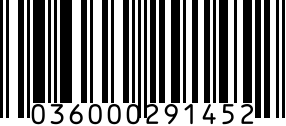
UPC-A example

ASIN stands for Amazon Standard Identification Number. It is a 10-character alphanumeric code (example: B07FZ8S74R) that Amazon automatically assigns to every product listed in its catalog. ASIN is internal to Amazon's marketplace — unlike UPC or EAN, it is not a global standard, and it does not appear on physical product packaging.

Every product listing on Amazon has exactly one ASIN. You can find the ASIN of any product by looking at the URL of its product page (the 10 characters after `/dp/`), or in the product details section of the listing. For books, the ISBN-10 serves as the ASIN.

How an ASIN is structured

ASINs are 10 characters, mixed alphanumeric. Most start with 'B' followed by 9 letters and digits (e.g., B07FZ8S74R). Book ASINs are the exception — Amazon uses the book's 10-digit ISBN as the ASIN directly. ASINs are case-insensitive but conventionally written in uppercase. There is no check digit and no encoded meaning — each ASIN is just a unique label.

ASIN vs UPC vs FNSKU: what is the difference?

Three identifiers, three jobs. UPC is the GS1-issued global retail barcode on your packaging — required to create a new Amazon listing in most categories. ASIN is Amazon's internal product ID for the catalog entry, automatically assigned when your UPC is registered. FNSKU is Amazon's per-unit fulfillment label (a Code 128 barcode starting with X00) that you print and stick on every unit you ship to FBA fulfillment centers. UPC = the world's barcode. ASIN = Amazon's catalog ID. FNSKU = your FBA shipping label.

How to get an ASIN for your product

You don't directly request an ASIN — Amazon generates one when you create a new product listing in Seller Central. The process: in Seller Central, click 'Add Products,' choose 'I'm adding a product not sold on Amazon,' enter your UPC (or apply for a GTIN Exemption if you don't have one), fill in the product details, and submit. Amazon assigns the ASIN within a few minutes. The new ASIN appears in your Manage Inventory page next to your SKU.

ASIN ownership and Amazon's catalog rules

ASINs belong to Amazon's catalog, not to you. Multiple sellers can list against the same ASIN if they're selling the same product (this is how the Amazon Buy Box works for popular SKUs). You can't transfer an ASIN to another product, change its identifier, or claim exclusive ownership unless you're enrolled in Amazon Brand Registry and the listing is for your trademarked brand. Brand-registered sellers can edit catalog details and prevent unauthorized changes.

FAQ

What does ASIN mean on Amazon?

ASIN stands for Amazon Standard Identification Number — a unique 10-character alphanumeric code Amazon assigns to every product in its catalog. It's how Amazon internally identifies products across listings, inventory, advertising, and reviews.

How do I get an ASIN number?

Amazon generates an ASIN automatically when you create a new product listing in Seller Central. You don't request one separately — submit your listing with a valid UPC (or GTIN exemption approval), and Amazon assigns the ASIN. The ASIN appears in your Manage Inventory page once the listing is published.

What is an ASIN in a book?

For books sold on Amazon, the 10-digit ISBN (the older ISBN-10 format) serves as the ASIN. You don't get a separate ASIN. If the book has only an ISBN-13, Amazon converts it to ISBN-10 to use as the ASIN. Kindle e-books get a standard B-prefix ASIN since they don't have ISBNs.

Do I need an ASIN to sell on Amazon?

Yes — every product on Amazon must have an ASIN, but you don't create one manually. Amazon assigns it automatically when your listing is created. You DO need a UPC (or GTIN exemption) to start that listing process. The ASIN is the output, not the input.

What is the purpose of an ASIN?

ASIN is Amazon's internal catalog key. It connects the product to its listing, reviews, inventory, advertising campaigns, parent-child variations (sizes/colors), and Buy Box logic. Two different sellers offering the identical product list under the same ASIN; Amazon decides who wins the Buy Box on each search.

What is the difference between ASIN and UPC?

UPC is the GS1-issued retail barcode you put on packaging — required to create the listing. ASIN is Amazon's internal product ID, generated by Amazon after the listing is created. UPC works at every retailer worldwide; ASIN works only inside Amazon.

Related generators

Need a real barcode now?

Generate a valid FNSKU barcode in seconds — no signup, no watermark. Free for casual use; paid plans from $9/mo for higher volume.

Related topics