
Home · Industries · Asset Tags & IT
Códigos para etiquetas de activos: Code 128 y Code 39 para seguimiento de activos TI
Portátiles, monitores, equipo de laboratorio, herramientas manuales — todo activo fijo necesita un identificador escaneable único. Code 128 y Code 39 son los caballos de batalla de la gestión de activos.
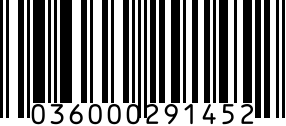
Las etiquetas de activos son códigos de uso interno que identifican equipos, mobiliario y herramientas en una organización. A diferencia de los UPC minoristas, que deben ser globalmente únicos y registrados en GS1, los IDs de etiquetas de activos son privados de tu organización — tú eliges el esquema de numeración y el formato del código.
Los dos formatos dominantes son Code 128 (alfanumérico de alta densidad) y Code 39 (más antiguo, menos denso, pero compatible con escáneres viejos). La mayoría de sistemas modernos de gestión de activos — ServiceNow, Asset Panda, Snipe-IT, Lansweeper — imprimen Code 128 por defecto y aceptan Code 39 para equipos heredados.
Recommended barcode formats
Predeterminado para etiquetas de activos TI. Codifica IDs alfanuméricos como 'IT-2026-04812' de forma compacta. Se lee en todo escáner moderno y cámara de móvil.
Cuando el espacio de la etiqueta es limitado (herramientas pequeñas, viales de laboratorio, instrumentos manuales). El código 2D codifica los mismos datos en 1/4 del área.
Raro para etiquetas de activos — solo cuando etiquetas artículos que también funcionan como productos minoristas (una imprenta etiquetando stock para reventa).
Misma salvedad — solo para casos híbridos de uso minorista/interno.
Regulatory notes
- Sin regulación específica para etiquetas de activos — son de uso interno únicamente.
- Normas de auditoría gubernamental (España/UE): las administraciones deben inventariar todos los activos por encima de un umbral — las etiquetas deben persistir durante la vida del activo.
- Contabilidad de seguros y amortización: el registro de activos referencia IDs; un etiquetado consistente es necesario para un seguimiento de amortización preciso.
- ISO 55000 (norma de gestión de activos, opcional): no exige formato de código específico, pero sí identificación única y duradera.
- RGPD/sector sanitario: cuando las etiquetas identifican equipos que manejan datos protegidos, la etiqueta no está regulada pero el registro de activos debe ser auditable.
Step by step
- 1
Diseña tu esquema de numeración
Decide prefijo y estructura: 'IT-{AAAA}-{serie 6 dígitos}' es común (IT-2026-000123). Los departamentos suelen prefijar por categoría: 'POR' (portátil), 'MON' (monitor), 'IMP' (impresora). Evita reutilizar números — cuando un activo se retira, su ID se retira con él.
- 2
Genera códigos Code 128 (usa el generador de arriba)
Code 128 soporta el conjunto ASCII completo, así que cualquier estructura de prefijo funciona. Elige Code 128 en nuestro generador, introduce el ID del activo, renderiza. Para generación masiva (50+ etiquetas), usa la importación CSV masiva — genera una hoja de etiquetas lista para imprimir en Avery 5160 o equivalente.
- 3
Imprime en soporte de etiqueta duradero
Equipo interior: etiquetas de poliéster estándar con adhesivo permanente. Exterior/industrial: aluminio o poliéster resistente a la intemperie con impresión por transferencia térmica (resiste químicos, abrasión, UV). Activos 'a prueba de manipulación' (portátiles): vinilo destructible que se rompe al retirarse.
- 4
Fija al activo y registra en tu CMMS/CMDB
Coloca la etiqueta en una ubicación consistente por clase de activo (parte trasera de portátiles, lateral de monitores, base de mobiliario). Escanea la etiqueta en tu sistema de gestión de activos. El escaneo registra el evento de inventario inicial.
- 5
Forma al personal e integra con los flujos de trabajo
Los escaneos de etiquetas impulsan préstamo (portátil asignado a empleado), mantenimiento (servicio recurrente), auditorías (conciliación física trimestral) y baja (activo retirado). La etiqueta es inútil sin el flujo de escaneo — invierte en hardware de escáner o apps de escaneo móvil para tu equipo.
Gotchas
- Longitud del ID Code 128: mantén las etiquetas bajo 12 caracteres cuando sea posible. IDs más largos necesitan etiquetas más anchas que no caben en equipos pequeños.
- Las etiquetas se caen: usa adhesivo de grado industrial o remaches para equipo exterior e industrial. El adhesivo de etiqueta estándar falla en 6-12 meses con cambios de temperatura.
- Etiquetas resistentes a la limpieza: el equipo sanitario y de hostelería se limpia con químicos agresivos a diario. El poliéster estándar se decolora en 60 días; la transferencia térmica sobre soporte resistente a químicos dura años.
- Fallo al escanear con móvil: equipo viejo puede necesitar un ID en Data Matrix 2D porque el Code 128 1D es demasiado ancho para el tamaño de etiqueta. Los móviles escanean Data Matrix de forma fiable; los escáneres 1D viejos necesitan barras anchas.
- Reutilización de ID: nunca. Cuando un activo se retira, márcalo 'retirado' en tu sistema pero mantén el slot de ID ocupado. Reutilizar el ID '00123' para un portátil nuevo rompe todos los informes históricos.
- Tentación del prefijo GS1: evita usar un Prefijo de Empresa GS1 para IDs de activos internos. Los prefijos GS1 son para productos vendidos en retail; mezclar numeración interna y externa crea confusión en auditorías de minoristas.
FAQ
¿Qué formato de código es mejor para etiquetas de activos?
Code 128 en la mayoría de casos. Codifica IDs alfanuméricos de forma compacta, lo soporta todo escáner moderno incluidos móviles, y produce barras legibles en etiquetas pequeñas. Code 39 es más antiguo, menos denso, y solo vale la pena si tienes escáneres heredados que no leen Code 128.
¿Las etiquetas de activos necesitan estar registradas en GS1?
No. Las etiquetas de activos son de uso interno. Elige cualquier esquema de numeración y formato. El registro GS1 es para productos vendidos en retail (UPC, EAN) — sería incluso inapropiado que una etiqueta de activo interno reclamara un prefijo GS1 no registrado a tu organización.
¿Cuántos caracteres debe tener una etiqueta de activo?
8-12 caracteres es el punto óptimo. Suficiente para codificar info útil (año, tipo, serie), corto para imprimir en etiquetas de 0,75-1 pulgada. Ejemplo: 'IT-26-00123' (11 caracteres) — legible, escaneable, identifica año + categoría + serie.
¿Puedo escanear etiquetas de activos con un móvil?
Sí. Las cámaras de móvil modernas (cámara iOS, Google Lens, apps dedicadas) escanean Code 128 de forma fiable a 15-30 cm con buena luz. La mayoría de sistemas modernos de gestión de activos ofrecen flujos de escaneo móvil que registran ubicación, usuario y marca de tiempo en cada escaneo.
¿Cuál es la diferencia entre una etiqueta de activo y una de inventario?
Las etiquetas de activos identifican equipo fijo para uso a largo plazo (portátiles, mobiliario, instrumentos) — la contabilidad los rastrea como activos amortizables. Las etiquetas de inventario identifican artículos consumibles o vendibles — la contabilidad los gasta o vende. Las de activos persisten años; las de inventario hasta que el artículo se usa o vende.
¿Debo codificar la ubicación en la propia etiqueta?
No. Codifica solo el ID del activo; rastrea la ubicación en tu sistema de gestión. Las ubicaciones cambian (el equipo se mueve entre oficinas, se reasigna) — la etiqueta no puede cambiar, pero el registro del sistema sí. Grabar la ubicación en la etiqueta obliga a reetiquetar en cada traslado.
Related
Related industries
- Códigos de barras para ropa y moda: UPC, FNSKU, colgantes RFID
- Códigos de barras para libros: ISBN-13, EAN Bookland y autopublicación
- Códigos de barras para marcas de cosméticos: UPC, EAN y códigos de lote para skincare, maquillaje y SKUs de belleza
- Códigos de barras electrónica: UPC, Data Matrix y códigos de asset tag para PCBs, componentes e inventario IT