
Home · Platforms · Amazon EU · FNSKU
FNSKU labels for Amazon EU FBA
Every unit you ship to an Amazon EU fulfillment center needs an FNSKU label, exactly the same as in the US. The FNSKU is per-SKU (not per-marketplace), so once you assign one in Seller Central it works for every European warehouse your inventory routes through.
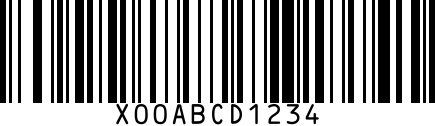
EU FBA quirks: Pan-European inventory routing means a single shipment can land in DE, FR, ES, IT warehouses; multi-country VAT obligations stack with that; and EU prep centers (Hamburg, Czechia, Poland) have their own batch processing windows.
Step by step
- 1
Get the FNSKU from Seller Central EU
sellercentral-europe.amazon.com > Manage Inventory > FNSKU column. Starts with X00.
- 2
Generate the barcode
Paste the FNSKU into our generator. Same Code 128 format as US FBA.
- 3
Print at 1×2 inch (25×51mm)
EU thermal printers commonly use 40×30mm or 50×30mm rolls — both work as long as the barcode plus FNSKU text fit and the contrast is high.
- 4
Apply over manufacturer barcodes
Cover any existing UPC/EAN on the unit so scanners don't pick the wrong code.
- 5
Ship to Amazon FC
Print the FBA inbound label from Seller Central; carrier delivers to assigned EU warehouse.
Gotchas
- Pan-European FBA enrolment is opt-in — without it, your stock can only sell in the country it was sent to.
- EU labels must comply with national language requirements on packaging — FNSKU itself is universal but other label content (ingredients, allergens, safety) must localize.
- Brand-Registry stickerless inventory is supported in EU but eligibility differs from US.
FAQ
Is the FNSKU different for each EU country?
No. One FNSKU per SKU, valid across all Amazon FBA fulfillment centers globally.
Can I use a EU prep center to label for me?
Yes — most EU 3PLs offer FBA prep including FNSKU labelling. Costs typically €0.20-0.50 per unit.
Related
- FNSKU generator — standalone generator without Amazon EU steps.
- All Amazon EU barcode guides
- All platforms