
Home · Platforms · FedEx · Code 128
Code 128 barcodes for FedEx shipping labels
FedEx shipping labels include a Code 128 barcode encoding the FedEx tracking number (PRO number). FedEx Ship Manager and the FedEx API generate this automatically as part of label printing. This page is for cases where you need to render a standalone Code 128 — internal tracking, reprints, or test labels.
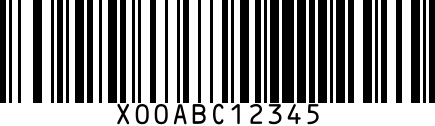
For production shipping, always use FedEx's official label generators (Ship Manager, FedEx Web Services, or a multi-carrier platform). Custom Code 128 barcodes can only be scanned through FedEx if the underlying tracking number was issued by FedEx.
Step by step
- 1
Generate the tracking-number Code 128
Paste your 12-digit FedEx tracking number into the generator above. FedEx Ground tracking numbers are typically 12 or 15 digits.
- 2
Print on FedEx-compliant 4×6 label stock
FedEx spec: 4×6 inch labels for Express, Ground, and Freight. Minimum 0.5 inch bar height; quiet zone of 10× narrow bar width on each side.
- 3
Apply to package centered on the longest side
FedEx scanners read the longest side first. Off-center labels increase manual-sort rates.
Gotchas
- Old Direct Thermal labels fade in heat. Use thermal-transfer ribbon for high-temperature regions or long transit times.
- Reusing an old tracking number with a fresh package = orphaned shipment. Always print a new label per package.
- Reference fields on FedEx labels are Code 128 too — keep them under 25 chars for reliable scan.
FAQ
Can I make my own FedEx tracking number?
No — tracking numbers are issued by FedEx when you create a shipment. Code 128 generation alone doesn't create a valid shipment.
What's a PRO number?
FedEx Freight terminology for the tracking number. Code 128 encoded, 12 digits typically.
Related
- Code 128 generator — standalone generator without FedEx steps.
- All FedEx barcode guides
- All platforms