
Home · Industries · Asset Tags & IT
Codes-barres étiquettes d'actifs : Code 128 et Code 39 pour le suivi d'actifs IT
Portables, écrans, équipement de labo, outils à main — chaque actif fixe a besoin d'un identifiant scannable unique. Code 128 et Code 39 sont les chevaux de trait de la gestion d'actifs.
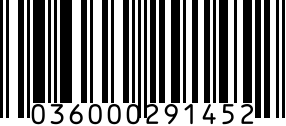
Les étiquettes d'actifs sont des codes-barres à usage interne identifiant équipements, mobilier et outils dans une organisation. Contrairement aux UPC de détail qui doivent être mondialement uniques et enregistrés GS1, les ID d'étiquettes d'actifs sont privés à votre organisation — vous choisissez le schéma de numérotation et le format.
Les deux formats dominants sont Code 128 (alphanumérique haute densité) et Code 39 (plus ancien, moins dense, mais supporté par scanners anciens). La plupart des systèmes modernes — ServiceNow, Asset Panda, Snipe-IT, Lansweeper — impriment Code 128 par défaut et acceptent Code 39 pour le matériel hérité.
Recommended barcode formats
Défaut pour les étiquettes d'actifs IT. Encode des ID alphanumériques comme 'IT-2026-04812' de façon compacte. Lu par tout scanner moderne et caméra de téléphone.
Quand l'espace est restreint (petits outils, flacons de labo, instruments à main). Le code 2D encode les mêmes données sur 1/4 de la surface.
Rare pour les étiquettes d'actifs — uniquement en marquant des articles qui font AUSSI office de produits de détail.
Même réserve — uniquement pour les cas hybrides détail/interne.
Regulatory notes
- Aucune réglementation spécifique aux étiquettes d'actifs — usage interne uniquement.
- Normes d'audit public (France/UE) : les administrations doivent inventorier tous les actifs au-dessus d'un seuil — les étiquettes doivent persister pour la vie de l'actif.
- Comptabilité assurance et amortissement : le registre d'actifs référence les ID ; un marquage cohérent est nécessaire pour un suivi d'amortissement exact.
- ISO 55000 (norme de gestion d'actifs, optionnelle) : aucun format de code-barres requis, mais identification unique durable obligatoire.
- RGPD/secteur santé : quand les étiquettes identifient du matériel traitant des données protégées, l'étiquette n'est pas réglementée mais le registre doit être auditable.
Step by step
- 1
Concevoir votre schéma de numérotation
Décidez préfixe et structure : 'IT-{AAAA}-{série 6 chiffres}' est courant (IT-2026-000123). Les départements préfixent souvent par catégorie : 'POR' (portable), 'ECR' (écran), 'IMP' (imprimante). Évitez de réutiliser — quand un actif est réformé, son ID l'est aussi.
- 2
Générer les codes-barres Code 128 (générateur ci-dessus)
Code 128 supporte tout l'ASCII, donc toute structure de préfixe fonctionne. Choisissez Code 128, entrez l'ID, rendez. Pour la génération en masse (50+ étiquettes), utilisez l'import CSV — génère une planche prête à imprimer sur Avery 5160 ou équivalent.
- 3
Imprimer sur support étiquette durable
Matériel intérieur : étiquettes polyester standard à adhésif permanent. Extérieur/industriel : aluminium ou polyester résistant aux intempéries en transfert thermique. Actifs 'inviolables' (portables) : vinyle destructible qui se brise au retrait.
- 4
Apposer sur l'actif et enregistrer dans le CMMS/CMDB
Placez l'étiquette à un emplacement cohérent par classe (dos des portables, côté des écrans, base du mobilier). Scannez l'étiquette dans votre système de gestion. Le scan enregistre l'événement d'inventaire initial.
- 5
Former le personnel et intégrer aux workflows
Les scans pilotent prêt (portable attribué), maintenance (service récurrent), audits (réconciliation physique trimestrielle), réforme (actif retiré). L'étiquette est inutile sans le workflow de scan — investissez dans des scanners ou apps mobiles.
Gotchas
- Longueur ID Code 128 : gardez les étiquettes sous 12 caractères si possible. Des ID plus longs nécessitent des étiquettes plus larges qui ne tiennent pas sur le petit matériel.
- Les étiquettes se décollent : utilisez adhésif industriel ou rivets pour l'extérieur. L'adhésif standard cède en 6-12 mois avec les variations de température.
- Étiquettes résistantes au nettoyage : le matériel hospitalier et de restauration est nettoyé avec des produits agressifs chaque jour. Le polyester standard se décolore en 60 jours ; le transfert thermique sur support résistant dure des années.
- Échec scan téléphone : le matériel ancien peut nécessiter un ID en Data Matrix 2D car le Code 128 1D est trop large pour la taille d'étiquette. Les téléphones scannent le Data Matrix de façon fiable.
- Réutilisation d'ID : jamais. Quand un actif est réformé, marquez-le 'réformé' mais gardez le créneau ID occupé. Réutiliser 'IT-00123' pour un nouveau portable casse tout rapport historique.
- Tentation préfixe GS1 : évitez d'utiliser un préfixe entreprise GS1 pour des ID d'actifs internes. Les préfixes GS1 sont pour les produits vendus au détail ; mélanger crée de la confusion aux audits distributeurs.
FAQ
Quel format de code-barres est le mieux pour les étiquettes d'actifs ?
Code 128 dans la plupart des cas. Il encode des ID alphanumériques de façon compacte, est supporté par tout scanner moderne dont les téléphones, et produit des barres lisibles à petite taille. Code 39 est plus ancien, moins dense, et ne vaut que si vous avez des scanners hérités ne lisant pas Code 128.
Les étiquettes d'actifs doivent-elles être enregistrées GS1 ?
Non. Les étiquettes d'actifs sont à usage interne. Choisissez n'importe quel schéma et format. L'enregistrement GS1 est pour les produits vendus au détail (UPC, EAN) — il serait même inapproprié qu'une étiquette interne revendique un préfixe GS1 non enregistré à votre organisation.
Combien de caractères pour une étiquette d'actif ?
8-12 caractères est l'optimum. Assez long pour encoder de l'info utile (année, type, série), assez court pour imprimer sur des étiquettes de 2-2,5 cm. Exemple : 'IT-26-00123' (11 caractères) — lisible, scannable, identifie année + catégorie + série.
Puis-je scanner les étiquettes d'actifs avec un téléphone ?
Oui. Les caméras modernes (iOS, Google Lens, apps dédiées) scannent Code 128 de façon fiable à 15-30 cm avec une bonne lumière. La plupart des systèmes modernes offrent des workflows de scan mobile enregistrant lieu, utilisateur et horodatage à chaque scan.
Quelle différence entre étiquette d'actif et étiquette d'inventaire ?
Les étiquettes d'actifs identifient le matériel fixe d'usage long terme (portables, mobilier, instruments) — la comptabilité les suit comme actifs amortissables. Les étiquettes d'inventaire identifient les consommables ou vendables — la comptabilité les passe en charge ou les vend. Les actifs persistent des années ; l'inventaire jusqu'à usage ou vente.
Dois-je encoder l'emplacement dans l'étiquette ?
Non. Encodez uniquement l'ID ; suivez l'emplacement dans votre système. Les emplacements changent (le matériel bouge entre bureaux, est réattribué) — l'étiquette ne peut pas changer, mais l'enregistrement système oui. Graver l'emplacement force un ré-étiquetage à chaque déplacement.
Related
Related industries
- Codes-barres pour vêtements et textile : UPC, FNSKU, étiquettes RFID
- Codes-barres pour livres : ISBN-13, Bookland EAN et auto-édition
- Codes-barres pour marques cosmétiques : UPC, EAN et codes de lot pour soins, maquillage et beauté
- Codes-barres électronique : UPC, Data Matrix et étiquettes d'actifs pour PCB, composants et inventaire IT