
Home · Industries · Books & Publishing
Codes-barres pour livres : ISBN-13, Bookland EAN et auto-édition
Chaque livre imprimé vendu au détail a besoin d'un ISBN encodé en code-barres EAN-13 au dos. Voici le guide édition — sourcing ISBN, add-on prix, placement, KDP vs IngramSpark vs AFNIL.
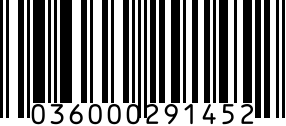
Un code-barres de livre n'est pas un identifiant séparé — c'est la représentation graphique EAN-13 de l'ISBN-13 du livre. Chaque livre imprimé vendu commercialement en porte un au dos. Le code-barres commence par le préfixe 978 (ou 979 plus récent si la plage 978 est épuisée dans votre groupe), signalant 'ceci est un livre' aux systèmes de caisse. On l'appelle parfois 'Bookland EAN' car il traite les livres comme leur propre code pays GS1.
Deux questions piègent la plupart des auto-édités. (1) Ai-je besoin d'un ISBN ? Seulement si vous vendez des exemplaires imprimés via d'autres canaux qu'Amazon — Amazon KDP émet des identifiants internes gratuits. Pour librairies, distribution IngramSpark, bibliothèques, tout sauf Amazon — oui, un vrai ISBN. (2) Dois-je l'ACHETER ? En France, les ISBN sont délivrés gratuitement par l'AFNIL après inscription comme éditeur. Ailleurs, ils viennent de l'agence ISBN nationale de votre pays (conditions variables) ou gratuitement de la plateforme (qui se nomme alors éditeur).
Recommended barcode formats
Standard pour tout livre imprimé commercial — ISBN-13 au format EAN-13 avec préfixe 978/979. Rendu en bas à droite du dos.
Même format physique que le code-barres ISBN (le préfixe 978/979 est juste un cas spécial). Utilisez le générateur EAN-13 si vous partez d'un ISBN 13 chiffres.
Utilisé pour les cartons de livres expédiés aux grossistes (Hachette, Ingram). Le carton ITF-14 = '0' + ISBN 13 chiffres. Requis par les grands distributeurs au niveau carton.
Add-on 2D optionnel utilisé par certains éditeurs pour lier au site auteur, page errata ou vérification anti-contrefaçon. Placé à côté (pas dans) l'espace du code-barres ISBN.
Regulatory notes
- L'ISBN-13 est le standard mondial depuis 2007 — l'ISBN-10 a été retiré pour les nouveaux livres. Les auto-édités ne doivent utiliser QUE l'ISBN-13 depuis 2007.
- L'AFNIL (Agence francophone pour la numérotation internationale du livre) délivre les ISBN gratuitement en France après inscription comme éditeur — vous êtes l'éditeur de référence.
- L'add-on prix 5 chiffres (à droite de l'EAN-13 principal) encode devise + prix : préfixe selon la devise. Exemple : pour l'euro, les chaînes utilisent souvent l'add-on de prix conseillé. La plupart des grandes chaînes l'exigent.
- Le catalogage bibliothèque utilise des notices MARC 21 indexées sur l'ISBN — BnF, OCLC WorldCat. Une fois l'ISBN enregistré à l'AFNIL, les métadonnées alimentent ces systèmes.
- Les ISBN internationaux sont délivrés par l'agence ISBN nationale de votre pays (l'AFNIL en France). Enregistrez où l'entité éditrice est domiciliée.
Step by step
- 1
Décider : ISBN AFNIL (à votre nom) ou ISBN plateforme
ISBN AFNIL (gratuit, France) : vous possédez l'ISBN, vous êtes l'éditeur de référence, utilisable sur KDP + IngramSpark + Lulu. ISBN plateforme gratuit (KDP/IngramSpark) : ils le possèdent, ils sont l'éditeur — problématique si vous distribuez ailleurs.
- 2
Enregistrer votre ISBN à l'AFNIL (si France)
Inscrivez-vous comme éditeur sur afnil.org, enregistrez les métadonnées titre/auteur/format. Ces métadonnées propagent vers la BnF et les catalogues. Chaque format reçoit son ISBN : relié, broché, poche, ebook, audio ont des ISBN distincts.
- 3
Générer le code-barres EAN-13 avec l'add-on prix 5 chiffres
Utilisez le générateur EAN-13. Entrez l'ISBN 13 chiffres complet (avec préfixe 978 ou 979, PAS la version 10 chiffres). Pour l'add-on prix, entrez le code 5 chiffres. Option 'pas de prix encodé' : '90000'.
- 4
Placer le code-barres au dos selon les règles
Position : coin inférieur droit du dos. Taille minimale recommandée. Zone de silence : 0,3 cm de blanc tout autour. Couleur : noir sur fond blanc UNIQUEMENT. Les templates KDP/IngramSpark pré-placent la boîte ISBN aux bonnes dimensions.
- 5
Si auto-édition : KDP, IngramSpark ou les deux
KDP exclusif : impression à la demande pour commandes Amazon. ISBN KDP gratuit possible. IngramSpark : distribue aux librairies, bibliothèques, retail international. ISBN réel requis. La plupart des pros font les DEUX, avec un ISBN AFNIL unique des deux côtés.
- 6
Générer l'ITF-14 pour l'expédition carton (si librairies)
Quand votre distributeur expédie des cartons aux détaillants, chaque carton a besoin d'un ITF-14. ITF-14 = '0' + votre ISBN 13 chiffres + chiffre de contrôle recalculé. Placez à l'extérieur de chaque carton du circuit grossiste.
Gotchas
- Chaque format a besoin de son propre ISBN. Relié, broché, ebook, audio = 4 ISBN, pas 1. Partager casse tout catalogue bibliothèque et système de réassort.
- L'ISBN KDP gratuit nomme Amazon comme éditeur. OK si vous restez sur Amazon ; très problématique dès que vous ajoutez IngramSpark ou une distribution non-Amazon.
- L'add-on prix 5 chiffres doit correspondre au prix imprimé sur le livre. Les écarts déclenchent des corrections en caisse — les grandes chaînes le signalent en réception.
- L'ISBN-10 est mort pour les nouveaux livres depuis 2007. Si vous voyez des références ISBN-10 dans de vieux guides, ignorez — toujours ISBN-13 maintenant.
- Certains services (Lulu, IngramSpark Plus) imposent LEUR ISBN gratuit, pas votre AFNIL. Lisez les conditions avant d'acheter des ISBN inutilisables sur votre plateforme.
- Les livres reliés bibliothèque nécessitent souvent un SECOND code-barres au dos pour le suivi — c'est un Code 39 interne que la bibliothèque applique, pas l'éditeur.
FAQ
Quel code-barres pour les livres ?
EAN-13 (le numéro d'article européen 13 chiffres) dérivé de l'ISBN-13 du livre. Le préfixe 978 ou 979 le marque comme livre — le 'Bookland EAN'. La plupart des livres incluent aussi un add-on prix 5 chiffres à droite, encodant devise + prix de détail pour la caisse.
Comment obtenir un code-barres pour un livre ?
Trois voies. (1) Obtenez un ISBN gratuit à l'AFNIL (France) ou votre agence nationale, puis générez l'EAN-13 vous-même (gratuit). Vous possédez l'ISBN. (2) ISBN KDP gratuit — Amazon l'émet, Amazon est l'éditeur, gratuit mais KDP seulement. (3) ISBN IngramSpark gratuit — même principe. Pour une flexibilité maximale, prenez un ISBN AFNIL et utilisez-le partout.
Combien coûte un code-barres de livre ?
Le CODE-BARRES est gratuit — tout générateur EAN-13 (dont le nôtre) le rend en quelques secondes depuis un ISBN 13 chiffres. L'ISBN lui-même est gratuit en France (AFNIL) ; dans d'autres pays, l'agence ISBN nationale peut le facturer. Les ISBN gratuits KDP/IngramSpark appartiennent à la plateforme.
Les codes-barres de livres sont-ils gratuits ?
L'image du code-barres est gratuite — les générateurs la produisent en secondes depuis tout ISBN 13 chiffres. Ce qui peut coûter est l'ISBN : gratuit en France via l'AFNIL, payant dans certains pays via l'agence ISBN nationale. KDP et IngramSpark émettent des ISBN gratuits mais en gardent la propriété.
Où placer le code-barres sur un livre ?
Coin inférieur droit du dos. Taille minimale recommandée avec zone de silence de 0,3 cm sur tous les côtés. Noir sur blanc uniquement. Les templates KDP et IngramSpark le pré-placent correctement ; un design manuel doit respecter les spécifications pour éviter le rejet distributeur.
Puis-je utiliser le même ISBN pour relié et broché ?
Non. Chaque format doit avoir son propre ISBN — relié, broché, poche, ebook, audio sont cinq produits distincts dans les catalogues. Partager un ISBN entre formats casse tout système de réassort. Un roman en relié + broché + ebook nécessite 3 ISBN minimum.
Quel est le code 5 chiffres à côté du code-barres ?
L'add-on prix (aussi 'EAN-5'). Il encode devise + prix de détail pour la caisse. Premier chiffre : devise. Chiffres restants : prix dans la plus petite unité sans décimale. Utilisez '90000' pour ne pas encoder de prix. Les grandes chaînes l'exigent ; les petites librairies indépendantes non.
Ai-je besoin d'un code-barres pour un ebook ?
Non. Les ebooks n'ont pas d'emballage physique. Vous avez quand même besoin d'un ISBN-13 pour le suivi catalogue bibliothèque, le reporting de ventes et les métadonnées — mais pas de rendu code-barres. L'ISBN apparaît dans le fichier métadonnées (EPUB, MOBI) et les annonces, pas comme image scannable visible.
Related
Related industries
- Codes-barres pour vêtements et textile : UPC, FNSKU, étiquettes RFID
- Codes-barres étiquettes d'actifs : Code 128 et Code 39 pour le suivi d'actifs IT
- Codes-barres pour marques cosmétiques : UPC, EAN et codes de lot pour soins, maquillage et beauté
- Codes-barres électronique : UPC, Data Matrix et étiquettes d'actifs pour PCB, composants et inventaire IT