
Home · Industries · Library & Archives
Codici per biblioteche: Code 39 e Code 128 per libri, utenti ed etichette d'archivio
Ogni libro sullo scaffale, ogni tessera utente, ogni scatola d'archivio — le biblioteche dipendono dai codici per prestito, prenotazioni, restituzioni e inventario. Code 39 domina i sistemi legacy; Code 128 alimenta i nuovi deployment.
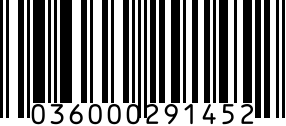
I codici per biblioteche sono la spina dorsale di ogni sistema di circolazione moderno. Identificano libri, DVD, e-reader, tessere utente e attrezzatura prenotabile — qualsiasi cosa una biblioteca presti o riceva. A differenza degli UPC retail, i codici per biblioteche sono interni a ogni sistema e non richiedono registrazione GS1.
Code 39 è stato il predefinito storico dagli anni '80 — ogni sistema legacy di biblioteca (Sirsi/Symphony, Polaris, Innovative Sierra) lo legge nativamente. I sistemi moderni open-source (Koha, Evergreen) e i LMS cloud (Alma, FOLIO) accettano sia Code 39 che Code 128, con Code 128 sempre più preferito per nuovi deployment perché codifica più dati per millimetro.
Recommended barcode formats
Predefinito moderno di biblioteca. Maggiore densità di Code 39, entra in codici più lunghi (ID stile Codabar a 14 cifre) su etichette dorso standard.
Raro nelle biblioteche ma usato per archiviazione dove lo spazio è minimo — piccoli oggetti d'arte, lattine di microfilm, cartelle di manoscritti.
Nell'acquisire AV commerciale (DVD, audiolibri) dove l'UPC dell'editore è il codice. La maggior parte delle biblioteche assegna comunque il proprio codice interno, ma l'UPC è accettabile per copie prestabili di media di massa.
I libri arrivano con ISBN sulla sovraccoperta — utile per la ricerca di metadati di catalogo, ma la maggior parte delle biblioteche stampa una sovra-etichetta con il codice interno per il tracciamento della circolazione.
Regulatory notes
- Nessuna regolamentazione di formato codice specifica per le biblioteche. Ogni biblioteca o consorzio fissa il proprio standard.
- Statistiche di biblioteca (ISO 2789 / NISO Z39.7): tracciano la circolazione per eventi di scansione ma non impongono un formato.
- Protezione dati (GDPR): le tessere utente collegano a registri studenti in biblioteche scolastiche/accademiche — proteggi la mappatura codice-utente; il codice in sé non è protetto.
- PCI-DSS: si applica solo se le tessere utente fungono anche da carte di pagamento (raro); il codice in sé non rientra nell'ambito PCI.
- Linee guida bibliotecarie: raccomandano codici a 14 cifre con struttura stile Codabar per compatibilità di prestito interbibliotecario, anche se Code 128 ha superato questo nella pratica.
Step by step
- 1
Scegli il tuo piano di numerazione codici
La maggior parte delle biblioteche usa codici numerici a 14 cifre con un prefisso iniziale che identifica la biblioteca (assegnato dal consorzio). Esempio: 35185001234567 — prime 5 cifre codice istituzione (35185), successive 9 ID elemento. Le biblioteche scolastiche spesso usano ID numerici più corti di 8-10 cifre.
- 2
Ordina rotoli di codici prestampati O genera tu stesso
Fornitori di materiali bibliotecari vendono rotoli sequenziali prestampati in dimensioni standard (1,27 × 3,8 cm per libri, minori per DVD). Per progetti sotto 200 etichette, genera Code 128 qui, stampa su supporto etichetta (Avery 5167 o etichette dorso specifiche).
- 3
Applica all'elemento (la posizione coerente conta)
Libri rilegati: in basso a destra di quarta di copertina O cima del dorso, coperto con nastro protettivo (Mylar o sovracopertura antigraffio). Brossura: idem ma attento alla strettezza del dorso. DVD/CD: in basso a destra della custodia esterna. Riviste: in alto a destra di copertina. Materiale d'archivio: etichetta-bandiera separata, non fissata direttamente.
- 4
Cataloga nel tuo LMS
Usa l'importazione massiva del LMS (record MARC + colonna codice) o il flusso scansiona-in-record. Il codice diventa l'identificatore del 'record elemento'; gli eventi di circolazione (prestito, restituzione, prenotazione) referenziano questo codice. La maggior parte dei LMS richiede codici univoci per copia — se hai 5 copie di un libro, ognuna riceve un codice distinto.
- 5
Forma il personale di circolazione e i chioschi self-service
Gli scanner del personale (Zebra, Honeywell) leggono Code 128 e Code 39 di fabbrica. I chioschi self-service richiedono che il prefisso del codice sia coerente in tutta la collezione per l'autorilevamento del chiosco. Testa con 50+ elementi prima di andare in produzione.
Gotchas
- Residuo adesivo e sovracoperture protettive: le etichette autoadesive standard ingialliscono in 2 anni sugli scaffali. Usa adesivo di grado libro e strisce di sovracopertura Mylar trasparente per proteggere il codice ed estendere la vita a 10+ anni.
- Smart card vs tessere Code 128: alcuni sistemi usano carte RFID invece dei codici. Non mescolare — scegli uno o l'altro. I deployment misti confondono i chioschi self-service e hanno tassi di errore più alti.
- Codici a livello elemento vs copia: ogni COPIA FISICA necessita del proprio codice univoco, anche per lo stesso ISBN. 5 copie di un libro = 5 codici distinti. I sistemi di biblioteca lo richiedono esplicitamente.
- Problema del codice su custodia DVD: le custodie DVD si rompono, vengono sostituite o termoretratte. Il codice della biblioteca deve sopravvivere alla sostituzione della custodia — di solito applicato alla busta del disco interna, non alla custodia esterna.
- Confusione prestito interbibliotecario: prestando i tuoi libri a un'altra biblioteca, la prestataria può incollare IL SUO codice sul tuo. Usa sovracopertura Mylar rimovibile per recuperare il tuo codice al ritorno del libro.
- Materiale d'archivio: NON applicare codici direttamente su libri rari, manoscritti o fotografie. Usa etichette-bandiera di acquisizione o codici a livello di contenitore (la scatola, non il documento). L'adesivo danneggia la carta irreversibilmente nei decenni.
FAQ
Quale formato di codice usano le biblioteche?
Code 39 nei sistemi legacy (ancora comune in biblioteche scolastiche e pubbliche piccole), Code 128 nei deployment moderni (biblioteche accademiche, consorzi, nuove installazioni). La maggior parte dei sistemi di gestione bibliotecaria accetta entrambi. I rotoli prestampati di solito arrivano in Code 39 per compatibilità; se generi tu, Code 128 è la scelta moderna migliore.
Quante cifre dovrebbe avere un codice di biblioteca?
Si raccomandano 14 cifre con un prefisso istituzione iniziale di 5 cifre. Esempio: 35185001234567. Le biblioteche piccole (scolastica, pubblica piccola) spesso usano codici di 8-10 cifre senza il prefisso. Le accademiche e i consorzi restano sullo standard di 14 cifre per compatibilità di prestito interbibliotecario.
Mi serve un codice separato per ogni copia di un libro?
Sì. Ogni copia fisica è un 'elemento' separato nel sistema, anche se condividono ISBN e titolo. 5 copie necessitano 5 codici distinti. Gli eventi di circolazione referenziano il codice per copia, non l'ISBN.
Posso usare l'ISBN come codice?
No — la maggior parte delle biblioteche stampa una sovra-etichetta con un codice interno anche se il libro arriva con ISBN. L'ISBN identifica il titolo (ogni copia di un'edizione condivide lo stesso ISBN), ma la biblioteca deve tracciare ogni copia fisica separatamente. L'ISBN diventa metadato di catalogo; il codice di biblioteca gestisce la circolazione.
Qual è la differenza tra un codice di biblioteca e un'etichetta cespite?
I codici di biblioteca identificano elementi in circolazione — libri, DVD, dispositivi — che vengono prestati e restituiti. Le etichette cespiti identificano beni fissi — computer, arredi, attrezzature — che restano in sede. Entrambi possono usare Code 128, ma i flussi differiscono: i codici di biblioteca passano per sistemi di circolazione (LMS), le etichette cespiti per sistemi di gestione cespiti (CMDB/CMMS).
Come coesistono RFID e codice a barre nelle biblioteche?
La maggior parte delle biblioteche accademiche moderne usa sistemi ibridi: i libri legacy hanno solo Code 39/128; le nuove acquisizioni hanno SIA un codice (compatibilità legacy) SIA un tag RFID (self-service rapido e inventario a scaffale). I chioschi self-service scansionano ciò che l'utente presenta; gli scanner del personale usano il codice di default. La migrazione RFID totale è pluriennale e costosa — la sovrapposizione parziale è la norma.
Related
Related industries
- Codici a barre per abbigliamento e moda: UPC, FNSKU, cartellini RFID
- Codici per etichette cespiti: Code 128 e Code 39 per il tracciamento dei beni IT
- Codici a barre per libri: ISBN-13, EAN Bookland e autopubblicazione
- Codici a barre per brand cosmetici: UPC, EAN e codici lotto per skincare, makeup e SKU beauty