
Home · Platforms · Amazon KDP · ISBN
KDP ISBN Guide: Free Amazon ISBN vs Buying Your Own (and How to Print the Barcode)
Amazon KDP gives you a free ISBN if you publish exclusively through them. If you want to distribute outside KDP — IngramSpark, libraries, bookstores, audiobook platforms — you need your own ISBN purchased from your country's national ISBN agency.
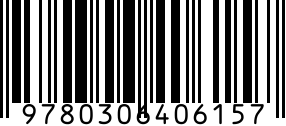
Whichever route you choose, the back-cover ISBN barcode must be rendered at the right size and position. KDP's print template includes the barcode slot.
Step by step
- 1
Decide: free KDP ISBN or your own
Free KDP: simpler, KDP-only. Your own ISBN: more flexibility, your imprint name appears, sold individually or in cheaper bulk packs.
- 2
Get your ISBN
Free: KDP issues during publishing flow. Paid: your country's national ISBN agency. ISBNs from Amazon Bookland prefix 978/979.
- 3
Assign in KDP
Create > Paperback or Hardcover > scroll to ISBN section > enter your ISBN or request KDP's free one.
- 4
Generate the back-cover barcode
Use the ISBN generator above. Download SVG (Pro plan) for vector inclusion in your cover file.
- 5
Place in cover template
KDP's cover template includes a barcode slot at the bottom right of the back cover. Insert the barcode at the exact dimensions specified (usually around 50x30mm).
Gotchas
- Each format (paperback, hardcover, audiobook, large-print, each language) needs its own ISBN. One book = several ISBNs.
- KDP's free ISBN cannot be used outside KDP. Switching to IngramSpark later requires a new ISBN.
- Library cataloging systems prefer real ISBNs over KDP's free ones because of the publisher name lookup.
FAQ
Should I use KDP's free ISBN or buy my own?
Buy your own if you'll distribute outside KDP. Use KDP's free ISBN if you're only ever selling on Amazon. The choice is permanent — you can't transfer KDP's ISBN later.
How many ISBNs do I need?
One per format per language. A book launched in paperback + hardcover + audiobook = 3 ISBNs. Add Spanish translation = 6 total.
Where does the ISBN barcode go on the cover?
Bottom-right of the back cover, with the 13-digit number printed above the barcode. KDP's cover template marks the exact placement.
Related
- ISBN generator — standalone generator without Amazon KDP steps.
- All Amazon KDP barcode guides
- All platforms