
Home · Platforms · Amazon · UPC-A
Amazon UPC Codes: How to Generate & Add a UPC-A to Your Product Listing
Amazon requires a Product ID (most commonly a UPC-A) on every new SKU in nearly all of its US and Canada categories. The UPC must syntactically validate AND match a record in the GS1 global database that resolves to your brand — Amazon spot-checks this and rejects mismatches.
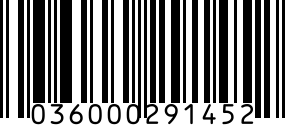
For live listings: get a verified GS1-derived UPC from our Buy UPC Codes page (from $5); brand-registered sellers need codes licensed in their own name — see the Buy UPC Codes FAQ. If you're testing the listing flow, sourcing one-off SKUs from Etsy/eBay, or only listing under your existing Brand-Registry exemption, a valid-looking UPC-A you generate here will work for the syntactic check.
Step by step
- 1
Generate or look up your UPC-A
Use our generator above for a syntactically valid 12-digit UPC-A with proper check digit. For Amazon's GS1 validation, get a verified GS1-derived UPC from our Buy UPC Codes page (from $5).
- 2
Sign in to Amazon Seller Central
Go to Catalog > Add a Product > I'm adding a product not sold on Amazon.
- 3
Enter the UPC in the Product ID field
Select 'UPC' from the Product ID Type dropdown and paste the 12-digit code. Amazon will check both the check digit and the GS1 registry — verified GS1-derived UPCs trace to a legitimately licensed prefix and pass for standard listings.
- 4
If Amazon rejects with 'invalid GTIN'
Apply for a GTIN Exemption (Brand Registry required) OR get a verified GS1-derived UPC from our Buy UPC Codes page (from $5) and resubmit. Brand-registered listings need codes licensed in your own name — see the Buy UPC Codes FAQ.
- 5
Add FNSKU label for FBA
If shipping to Amazon FBA, each unit also needs an FNSKU label (separate from the UPC). Generate FNSKU labels at /generators/fnsku or via Seller Central.
Gotchas
- For brand-registered listings, Amazon's GS1 validator checks the brand name on file — those need a UPC licensed in your own name. Verified GS1-derived UPCs work for standard listings.
- Generic Brand-Registry exemptions are category-specific — you may be exempt for Toys but not for Grocery.
- Each variant (color, size) needs its own UPC. A parent listing with 5 child variants needs 5 unique UPCs.
- Once accepted, the UPC binds permanently to the ASIN — don't reuse it for a different product later.
FAQ
Do I need to buy UPCs from GS1 to sell on Amazon?
Not necessarily. Verified GS1-derived UPCs (like the ones on our Buy UPC Codes page, from $5) work for standard Seller Central listings. Brand-registered listings need codes licensed in your own name — see the Buy UPC Codes FAQ.
Will Amazon accept a UPC generated for free here?
The codes here are syntactically valid and useful for testing, internal SKUs, and Brand-Registry-exempt listings. For production Amazon listings without exemption, use a verified GS1-derived UPC from our Buy UPC Codes page (from $5); brand-registered sellers need codes licensed in their own name.
What's the difference between a UPC and an FNSKU?
UPC identifies the product universally across all retailers. FNSKU identifies your unit inside Amazon's fulfillment network. FBA shipments need both — UPC on the listing, FNSKU on each physical unit.
Can I list on Amazon without a UPC?
Only with a GTIN Exemption (Brand Registry approved sellers) or in categories that don't require one (a small list — used books, custom artwork). For 95% of new SKU launches, a UPC or EAN is required.
Need real UPC codes for Amazon?
Amazon verifies UPCs against the GS1 database. Use authentic codes — starting at $5, instant download.
Buy from UPCs.com →Related
- UPC-A generator — standalone generator without Amazon steps.
- All Amazon barcode guides
- All platforms