
Home · Platforms · UPS · Code 128
Code 128 barcodes for UPS shipping labels
UPS shipping labels use Code 128 barcodes (often wrapped as GS1-128 with FNC1 separator and Application Identifiers) to encode the tracking number and routing data. The label also includes a MaxiCode 2D barcode for UPS's automated sorting — both must be present for the label to clear an automated UPS facility.
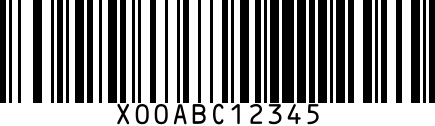
If you're printing your own labels through UPS Worldship, UPS API, or a multi-carrier platform (ShipStation, Shippo, Easypost), Code 128 generation is handled automatically. This page is for cases where you need to render a standalone Code 128 with specific data — e.g., internal tracking, custom labels, or test prints.
Step by step
- 1
Generate the tracking-number Code 128
Use the generator above. UPS tracking format is '1Z' + 6-char shipper number + 2-char service code + 8-char package count.
- 2
Optional: GS1-128 with AI prefixes
For supply-chain integration (Application Identifiers prefixed to each segment: 00=SSCC, 01=GTIN, 17=Best By, 21=Serial). Use a GS1-aware generator for proper FNC1 + AI encoding.
- 3
Print at minimum 12.7mm height
UPS label spec: 4×6 inch labels, Code 128 at minimum 0.5 inch (12.7mm) bar height. Higher contrast = better automated sorting.
- 4
Pair with MaxiCode
UPS automated facilities scan MaxiCode first. Without it, the label downgrades to manual sort — slower and more expensive.
Gotchas
- UPS rejects Code 128 labels printed too small (under 0.5 inch tall). Auto-sort throws them out.
- Custom Code 128 not tied to a real UPS tracking number can't ship through UPS — they're only valid for your own internal tracking.
- Direct thermal labels fade over time. For long-haul international shipments, use thermal transfer for legibility.
FAQ
Can I print a UPS label without buying postage from UPS first?
No. The tracking number on the label must be issued by UPS through their API or platform. Code 128 alone won't ship anything.
Is GS1-128 the same as Code 128?
Same underlying barcode format, but GS1-128 has a special FNC1 character at start plus standardized AI prefixes that encode meaning (lot, expiry, serial). Plain Code 128 has no semantic structure.
Related
- Code 128 generator — standalone generator without UPS steps.
- All UPS barcode guides
- All platforms