
Home · Platforms · IngramSpark · ISBN
Add an ISBN to your IngramSpark book
IngramSpark distributes to 40,000+ bookstores and libraries worldwide — but only if your book has its own ISBN, NOT Amazon KDP's free one. KDP-issued ISBNs are locked to KDP distribution; using IngramSpark requires a separately purchased ISBN.
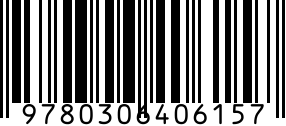
National ISBN agencies sell ISBNs in single units or 10-packs. Each ISBN identifies one specific format (paperback, hardcover, audiobook, large-print) of one specific edition.
Step by step
- 1
Buy ISBNs from your country's agency
Your country's national ISBN agency sells singles and 10-packs; 10-packs cost far less per unit.
- 2
Register your title with your ISBN agency
Assign your ISBN to the title metadata: author, publisher (your imprint), publication date, format.
- 3
Create the title in IngramSpark
ingramspark.com > Title Setup > paste your ISBN. IngramSpark cross-references the ISBN registry.
- 4
Generate back-cover barcode
Use the ISBN generator above. Download SVG (Pro plan) for vector cover integration.
- 5
Place in IngramSpark cover template
Download the template from IngramSpark, position the barcode in the bottom-right of back cover at the specified dimensions.
Gotchas
- Each format = separate ISBN. Hardcover + paperback + audiobook = 3 ISBNs for one book.
- Once registered, ISBN metadata is hard to change. Lock in publisher name carefully — it appears in every catalog.
- If you also publish through KDP with KDP's free ISBN AND through IngramSpark with your own, the two are listed as separate books in catalog systems. Reviews don't merge.
FAQ
Can I use my KDP free ISBN on IngramSpark?
No. KDP's free ISBN is locked to Amazon distribution. IngramSpark needs your own ISBN, purchased from your national ISBN agency.
How many ISBNs do I need for a paperback + ebook + audiobook?
Paperback: 1. Ebook on IngramSpark: 1 separate ISBN (Amazon KDP ebook uses ASIN, no ISBN needed there). Audiobook: 1 separate ISBN. Total: 3 minimum for cross-platform parity.
Related
- ISBN generator — standalone generator without IngramSpark steps.
- All IngramSpark barcode guides
- All platforms